

Run Local LLM on Mobile: Cloudflare Tunnel & Ngrok Setup Guide for AI Chat
A 2026 mobile access guide for local LLMs covering Cloudflare Tunnel, Ngrok, latency, security hardening, and the cleanest ways to reach a desktop model from a phone.
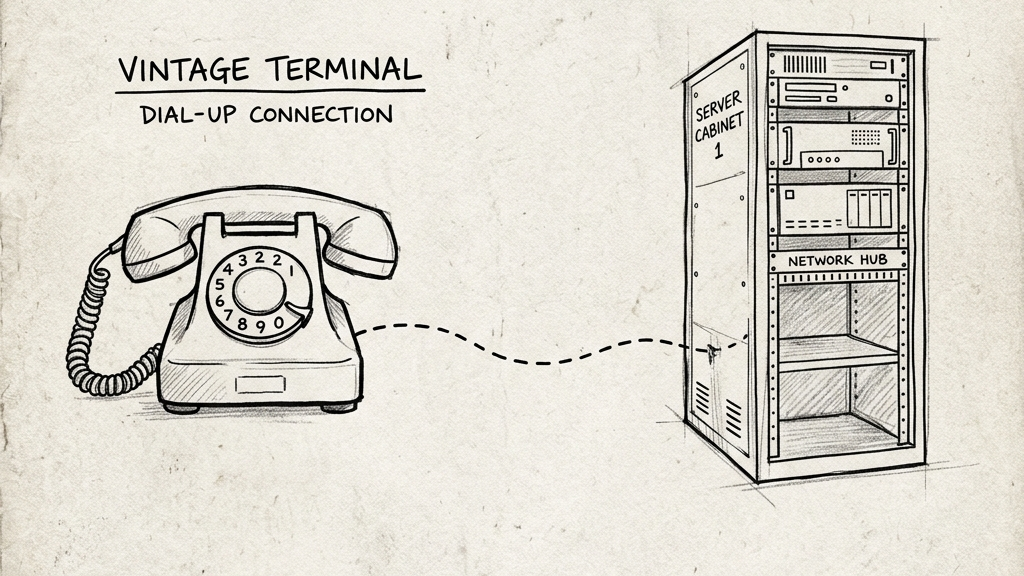
The seductive but bad idea here is port forwarding: somebody always suggests opening a port on the router, pointing the phone at the house, and hoping for the best with a dynamic DNS entry. That idea survives because it sounds direct, but it is also how people accidentally publish a local inference box to the internet with the same security posture as a forgotten hobby dashboard from 2017.
If you want to talk to a local LLM from a phone in 2026, the sane path runs through tunnels and access control. The two names most people encounter first are Cloudflare Tunnel and Ngrok—both still matter, though they solve the same broad problem from different angles.
A local mobile AI setup has three moving parts: the model server running on the host hardware, the tunnel exposing the service safely, and the mobile client speaking to the endpoint. Underneath this simple structure sits a more complex set of constraints—Time to First Token, inter-token latency, mobile handoffs, TLS, and the fact that local model servers assume everyone talking to them is already trusted, which is exactly where most insecure setups begin.
Choose the tunnel by the kind of pain you prefer
Cloudflare Tunnel is the better long-term answer for most people.
It gives you stable routing, real domains, good uptime, and a clean path into edge-level access control. For HTTP-based local AI endpoints, the free tier is hard to ignore because it avoids the bandwidth pinch that makes other free services feel like demos.
Ngrok still wins the speed-to-first-URL contest. If you need a public endpoint in minutes for a temporary test, it remains extremely convenient. That convenience now lives inside a tighter product strategy. Free-tier limits, interstitial behavior, and bandwidth constraints matter much more than they used to.
So the short version is simple: choose Cloudflare Tunnel for a setup you plan to keep, and Ngrok for a temporary setup you want right now.
Cloudflare Tunnel: the durable route
Cloudflare Tunnel works by keeping an outbound connection from your machine to Cloudflare's edge with no incoming port forwarding required—an architectural detail that keeps your router boring, which is always a good thing.
The basic path looks like this:
cloudflared tunnel login
cloudflared tunnel create mobile-llm
cloudflared tunnel route dns mobile-llm ai.yourdomain.com
Then create a config file that maps the public hostname to the local model service:
tunnel: YOUR-TUNNEL-ID
credentials-file: /path/to/your-tunnel.json

ingress:
  - hostname: ai.yourdomain.com
    service: http://localhost:11434
  - service: http_status:404
Finally run it:
cloudflared tunnel run mobile-llm
If the local backend is Ollama, port 11434 is the usual destination. If it is LM Studio, use the port you exposed in the local server settings, commonly 1234.
While this gets you reachability, reachability alone is not enough: you should place Cloudflare Access in front of the hostname to enforce email pin codes, identity providers, and session rules, adding the security layer that local model servers lack by default.
Ngrok still earns its keep when speed matters more than architecture, allowing you to authenticate and expose the local endpoint in seconds:
Authenticate once:
ngrok config add-authtoken YOUR_TOKEN
Then expose the local endpoint:
ngrok http 11434 --basic-auth="username:strongpassword"
That gives you a public URL and a basic-auth gate, which is hard to beat for quick testing. However, the limits show up fast when the setup graduates from test to habit: free bandwidth disappears quickly under streaming and context-heavy requests, and randomized domains become irritating for daily life, which is why Ngrok remains useful without being the best default recommendation.
Security: the tunnel solved one problem, not all of them
A secure tunnel does not automatically make the application behind it secure—a crucial distinction that matters more here than many users realize.
LM Studio, Ollama, and similar local servers often assume a trusted environment. Expose them carelessly and you have not built a mobile AI workflow; you have published a compute service with weak social boundaries and a GPU attached.
At minimum, put real access control in front of the tunnel: use identity gating if the tunnel provider offers it, or fall back to strong basic auth if your mobile client cannot tolerate interactive login flows. Additionally, ensure the local service is listening on the correct interface; many setups fail or become insecure here because users swing too hard in the opposite direction and expose more than they intended.
Latency: where mobile use actually gets weird
Bandwidth is rarely the real problem for text inference over mobile; latency is, as the prompt must travel from the phone to the tunnel edge, to your machine, through the model's prefill phase, and then back token by token. Cloudflare Tunnel and Ngrok both add edge hairpinning compared to a clean peer-to-peer mesh, though they make deployment much easier; you should treat this as a useful route through the network, accepting the latency trade-offs that come with it.
Treat it as a useful route through the network, with all the latency that implies.
The mobile clients that make this pleasant
If you want the simplest path, a browser-based frontend such as SillyTavern over a tunnel works well. Enable external listening carefully, secure the route, then open the tunnel URL from the phone.
If you want a more native feel, use a mobile client that can speak to an OpenAI-compatible endpoint.
On iOS, apps in the Enchanted class fit nicely here.
On Android, OneLLM-style clients and other custom-endpoint chat apps work well.
The good news is that the local ecosystem standardized around familiar API shapes. Once your desktop endpoint is reachable and authenticated, the phone usually stops being the complicated part.
The failures you will actually see
Cloudflare 502
This usually means the tunnel is alive but the last hop to the local service is broken due to a wrong port, wrong bind address, container isolation, or TLS mismatch—the edge is fine, but the origin is not.
Ngrok upstream errors
These usually mean the public URL exists but the local backend is not answering where Ngrok expects it to, with port mismatches and bind-address issues dominating.
Browser or app connects, then nothing streams
Now look at the backend itself. The tunnel may be fine. The model server may be choking on the request, waiting through a long prefill, or blocked by CORS or auth settings.
Everything works on Wi-Fi and feels cursed on cellular
That is the mobile network reminding you it has its own personality. Hand-offs, jitter, captive weirdness, and patchy latency all show up here long before they show up on the desktop.
What setup is actually recommended?
To build a reliable mobile roleplay stack, run the local model server on your desktop and place Cloudflare Tunnel in front of it. Protect the route with Cloudflare Access if the client allows it, or use strong application-layer authentication otherwise. From there, you can connect using a native mobile client or a mobile browser frontend depending on your UI preference, keeping Ngrok around only for fast tests and temporary experiments. This combination covers most use cases without requiring you to become your own edge-network operations engineer.
Running a local model from a phone sounds futuristic, but in practice, the hard part is not the model; it is admitting that networking, security, and latency still run the room. If you build around those pillars first, the local GPU will handle the rest.
Continue Reading
Related Guides
Free Uncensored AI: How to Run Local LLM API on Google Colab (2026)
A practical 2026 guide to using Google Colab as a disposable LLM host: what fits on the free tier, where the limits really are, and how to expose a stable API without pretending the setup is production-grade.
Local LLM on Mac: Setup Guide for Uncensored AI Roleplay (Apple Silicon M-Series)
A 2026 Mac guide for local roleplay stacks covering unified memory, model sizing, MLX versus llama.cpp, thermal limits, and clean Apple Silicon setup paths.
Best Local LLM for 8GB VRAM: Optimal Settings for AI Roleplay & ERP
A blunt 2026 guide to making 8GB cards work for local roleplay: what fits, what slows down, and which settings actually earn their place.
Ready for private AI?
Experience zero-log, client-side encrypted AI roleplay directly in your browser.
Launch App