

Best GPU for Local AI Roleplay & ERP: A 2026 Hardware Buyer's Guide
A 2026 hardware guide for local AI roleplay that ranks GPUs by what actually matters for inference: VRAM, memory bandwidth, thermals, and total cost of ownership.
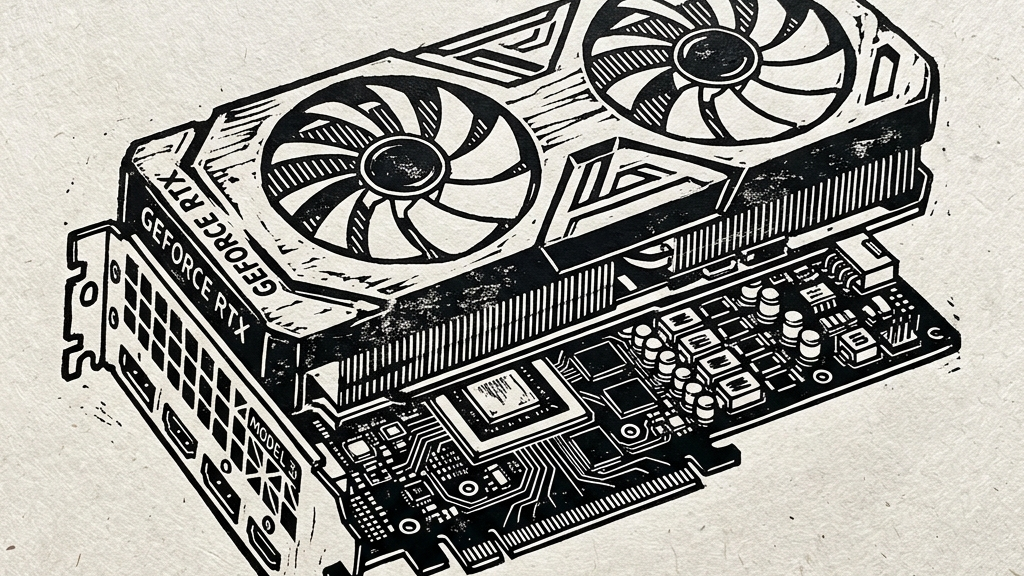
Open a gaming review in 2026 and you drown in frame charts, ray tracing numbers, and heroic screenshots of exploding metal.
None of that tells you whether your local model will remember the knife on the table thirty turns later.
That is the first thing to understand before buying hardware for roleplay.
Forget the gaming-trophy framing. You are shopping for a memory appliance that happens to contain a GPU.
The gap matters. A card can look brilliant in a YouTube benchmark roundup and still feel mediocre once you ask it to hold a 30B-class model, a live KV cache, a long-running scene, and the accumulated weight of your own bad prompting habits.
Local inference has made the hardware market weirder, not simpler. The shiny new flagship is often absurdly fast. An older used card can still be the smarter buy. Apple machines, which many people dismissed as creative-laptop luxury items, now sit in a completely different corner of the map because unified memory changes the size game. AMD keeps offering value. Nvidia keeps offering bandwidth and software maturity. Intel keeps trying to punch a hole into the middle of the market.
If you want one sentence to carry through the whole guide, carry this one:
For local roleplay, VRAM decides what is possible. Memory bandwidth decides whether it feels alive.
Quick recommendations
- Best value if you care about 24GB on a budget: a used RTX 3090.
- Best single-card balance for serious local use: a used RTX 4090.
- Best halo card if money is secondary: RTX 5090.
- Best value if you can live with lower throughput: AMD's 16GB to 24GB cards.
- Best path for truly huge models without multi-GPU chaos: high-memory Apple Silicon.
The old benchmark language breaks here
Most consumer GPU reviews still speak the language of games. Raster performance. Upscaling. Thermals under a synthetic gaming load. Those numbers are not fake. They just answer the wrong question.
Autoregressive inference is a different animal. During decode, the model keeps reading weights from memory for every token it generates. That turns memory bandwidth into the absolute bottleneck. CUDA cores and shader counts still matter, especially in the prefill phase (Time-To-First-Token, or TTFT), but once the model is live and speaking (Time-Per-Output-Token, or TPOT), the memory bus starts telling the truth.
This is why two cards with superficially similar raw "TFLOPS" can feel completely different in practice. One gets words on screen at a clean, conversational rhythm; the other lurches.
Below is a benchmark comparison showing typical local inference speeds in tokens per second (tok/s) across different model parameters and hardware platforms (in single-batch execution):
Local Inference Performance Benchmarks (Single-Batch)
| Model Parameter Class | RTX 3090 Speed (tok/s) | RTX 4090 Speed (tok/s) | RTX 5090 Speed (tok/s) | Apple M5 Max Speed (tok/s) |
|---|---|---|---|---|
| 8B (Llama 3.1) | ~115 tok/s | ~127 tok/s | ~213 tok/s | ~65 tok/s |
| 14B (Qwen 2.5) | ~55 tok/s | ~68 tok/s | ~120 tok/s | ~42 tok/s |
| 32B (Qwen 3.5) | ~25 tok/s | ~34 tok/s | ~78 tok/s | ~22 tok/s |
| 70B (Llama 3.1 / Miqu) | ~12 tok/s (Offloaded) | ~16 tok/s (FP4/Q4) | ~38 tok/s (FP4/Q4) | ~15 tok/s (Unified) |
Memory bandwidth is only half the battle; then there is the question of VRAM capacity. Weights need to live somewhere, and the KV cache needs to grow somewhere. Once either spills into system RAM, the machine stops behaving like a local AI box and starts behaving like a compromise. Sometimes that compromise is acceptable, but often it is the exact moment immersion dies.
The floor in 2026 is higher than people want to hear
Eight gigabytes survived longer than it should have because people kept getting clever with quantization and offload, but that ingenuity only bought time—it did not repeal physics. If your goal is rich roleplay in 2026, 8GB is below the comfort line: you can still make it work with smaller models and disciplined context, but you will spend a lot of time working around the machine.
Sixteen gigabytes is the first tier I would call viable without apology.
Twenty-four gigabytes is where local roleplay stops feeling like a hobby project and starts feeling like a proper workstation task.
Below is a breakdown of VRAM dynamics in 2026 showing how model parameter sizes fit at different quantizations and context lengths:
VRAM Allocation Dynamics Table
| VRAM Capacity | Viable Model Size | Quantization | Context Target | Experience / Recommendation |
|---|---|---|---|---|
| 8GB | 3B - 8B | Q4_K_M / IQ4_XS | 4k - 8k | Strict context pruning required. Highly restricted. |
| 16GB | 8B - 14B | Q8_0 / Q4_K_M | 8k - 16k | Comfortable midrange sweet spot for Llama 3.1 8B or Qwen 2.5 14B. |
| 24GB | 14B - 32B | Q8_0 / IQ4_XS | 16k - 32k | Serious enthusiast tier. Runs 32B models or quantized 70B. |
| 32GB+ | 32B - 70B | FP4 / Q4_K_M | 32k - 64k+ | Premium single-GPU tier. Allows 70B models locally with FP4. |
Once you cross that threshold, the model choice gets more interesting, the context window gets less fragile, and the whole setup becomes less theatrical. You stop obsessing over survival. You start paying attention to quality.
Buying logic by price band
Before diving into each price band, here is the comprehensive matrix of GPU options in 2026:
2026 GPU Specification & Price Matrix
| GPU Model | VRAM Capacity | Memory Bus Width | Memory Bandwidth | Estimated Used Price | Estimated New Price / MSRP |
|---|---|---|---|---|---|
| Nvidia RTX 5090 | 32GB GDDR7 | 512-bit | 1,792 GB/s | N/A (New release) | $1,999 - $2,499 |
| Nvidia RTX 4090 | 24GB GDDR6X | 384-bit | 1,008 GB/s | $1,200 - $1,400 | $1,599 |
| Nvidia RTX 3090 | 24GB GDDR6X | 384-bit | 936 GB/s | $550 - $800 | Discontinued |
| AMD RX 7900 XTX | 24GB GDDR6 | 384-bit | 960 GB/s | $650 - $750 | $899 |
| AMD RX 9070 XT | 16GB GDDR6 | 256-bit | 630 GB/s | N/A (New release) | $599 |
| Intel Arc Pro B70 | 32GB GDDR6 | 256-bit | ~512 GB/s | N/A | $499 |
| Intel Arc C780 | 16GB GDDR7 | 256-bit | 896 GB/s | N/A | $399 - $499 |
The budget band: buy VRAM before you buy novelty
If you are shopping below the premium tier, the used market deserves your full attention.
The strongest value story in 2026 remains the used RTX 3090. That sentence annoys people who want every recommendation to flatter the newest product cycle. Too bad. The card keeps showing up in serious local AI builds for a reason: 24GB of VRAM at used-market prices is hard to beat. It still runs 30B-class models well, handles heavier quantized 70B experiments better than cheaper cards, and gives buyers a path toward dual-card setups if they are willing to live with the power draw and noise.
That last caveat matters: the 3090 is a fantastic inference bargain, but it is also a heat source with opinions. If your power bill is painful, your room is warm, or your case airflow is bad, the romance fades quickly.
AMD's midrange and upper-midrange cards make sense for buyers who care more about VRAM per dollar than absolute token speed. They can run respectable local stacks. They still trail Nvidia in software maturity and in that last slice of inference convenience people only notice when drivers misbehave or a backend update arrives late.
Intel remains the speculative play. Interesting pricing, improving software, not the first recommendation for somebody who wants their roleplay machine to work now instead of after a weekend of troubleshooting.
The enthusiast band: stop pretending 24GB is optional
This is where the used RTX 4090 becomes the cleanest answer for many people.
The reason has less to do with status than with balance. Twenty-four gigabytes of VRAM is enough to run serious local models without immediately crashing into the wall. The bandwidth is strong. The power efficiency is far better than the old furnace generation. The software ecosystem remains the least annoying in the market.
That combination matters because it lowers every kind of friction at once: longer sessions stay stable, heavier models stop feeling like stunts, and you spend less time tuning around the card and more time choosing models for voice, pacing, and memory behavior. This is exactly what good hardware is supposed to do—remove itself from the conversation. Indeed, this is the reason so many local AI builders treat the 4090 as the point where things click.
The halo band: the flagship really is ridiculous
The RTX 5090 earns the headline treatment for obvious reasons. The bandwidth is enormous. The added memory helps. Native support for newer low-precision inference paths changes what fits and how fast it moves. In pure single-card consumer hardware, this is the card that makes absurd throughput feel normal.
Still, hardware guides become useless the moment they confuse “best” with “best for anyone who can technically buy it.”
The 5090 is a halo product. Its price is still halo-shaped. For smaller local models it can be overkill. For 30B-class daily-driver use it feels luxurious. For 70B-class experiments and aggressive contexts, it genuinely opens space that cheaper cards do not.
If your budget can absorb that premium and your workflow is already big enough to exploit it, fine. If not, the cheaper cards did not suddenly become bad.
Used hardware deserves a calmer conversation
People still talk about used GPUs as though buying one is a ritual involving luck, incense, and a mild gambling addiction, but the truth is far more ordinary: a solid used 3090 from a reputable seller with a return window remains one of the best ways to buy serious local capacity without paying current-generation tax.
The smarter question is not “used or new?” but rather how much VRAM you are buying per dollar, how much power you are buying per token, and how much risk you are willing to carry. Those answers are more useful than purity tests about secondhand hardware.
The power and heat bill always arrives
This part gets waved away too often by people drunk on benchmark screenshots.
A heavy local inference rig is a heater—that is not a metaphor, it is room temperature.
Run dual 3090s in an ordinary office and the machine starts behaving like a stubborn space heater with fans attached. Even a single high-end card under sustained LLM load changes the feel of the room. Noise rises. Cooling matters. Electricity becomes part of the purchase price, whether or not you wrote it into your spreadsheet.
Older cards keep winning on acquisition cost. Newer cards often win on tokens per watt. Those are different victories.
If you run a few hours a week, maybe you do not care. If you host local endpoints for long sessions, daily coding agents, or multiple users, you should care a great deal.
Apple Silicon changed the upper edge of the map
For smaller models that fit cleanly inside a fast Nvidia card, discrete GPU systems still dominate on raw speed, which is straightforward enough. The interesting shift happens when model size grows large enough to punish normal VRAM ceilings. Once you are dealing with very large MoE architectures or big dense models that laugh at 24GB and keep going, Apple Silicon enters the room with a completely different architectural argument.
Unified memory is the whole trick: Apple's higher-end systems let the GPU work from the same broad memory pool instead of forcing you into the traditional desktop split between VRAM and system RAM across a PCIe boundary. That means a Mac with a massive unified memory configuration can host models that would force a normal consumer GPU into ugly offload behavior almost immediately.
There is a trade: for smaller models, a high-end Nvidia card remains faster. For very large models that simply do not fit cleanly on ordinary consumer GPUs, Apple starts looking far less like a curiosity and far more like the elegant answer for buyers who want size without a multi-GPU science project.
If your dream workload lives in the 100B-plus world, Apple deserves serious consideration. If you mostly live in 14B to 32B territory and want maximum tokens per second, Nvidia still keeps the cleaner lead.
What actually matters for roleplay?
Since roleplay stresses hardware differently from many practical benchmark suites, you must focus on context memory over pure raw FLOPs. The job goes beyond abstract reasoning: you need continuity, emotional pacing, scene awareness, and the ability to survive long contexts without turning to mush. ERP pushes even harder because repetition becomes obvious fast and weak models start looping through the same gestures and the same vocabulary with humiliating speed.
That is why buyers who focus only on “can it run the model?” keep ending up disappointed.
The better question is whether the hardware leaves room for the model to breathe.
Twenty-four gigabytes paired with strong bandwidth gives the model room. So does a high-memory Apple machine, just through a different route. A squeezed 16GB card can still be good. It just requires better judgment from the operator and usually smaller ambitions.
The actual recommendations
If your budget is tight and you still want a serious local roleplay machine, buy a used RTX 3090 and spend the savings on airflow, PSU quality, and enough system RAM to avoid stupid secondary bottlenecks.
If you want the cleanest high-end answer without stepping into halo-product pricing, buy a used RTX 4090.
If you want the fastest single-card consumer answer and the price does not insult you personally, buy the RTX 5090.
If you care about value more than peak throughput and can tolerate a less polished inference ecosystem, AMD stays in play.
If your work involves truly huge models and you want to avoid multi-GPU desktop weirdness, high-memory Apple Silicon is the one consumer platform that genuinely changes the conversation.
Ultimately, the worst move is buying by gaming prestige, while the second-worst is loading a model so large that you leave no room for the context that made roleplay worth doing in the first place. If you buy bandwidth, memory, and thermals you can live with, you will avoid the pitfalls that turn local AI setups into expensive desktop theater.
Continue Reading
Related Guides
Best Local LLM by VRAM (8GB, 12GB, 24GB): 2026 Uncensored AI Tier List
A tier list that treats VRAM as the gating factor: what each tier can run well, what it struggles with, and how to upgrade without regret.
Local LLM on Mac: Setup Guide for Uncensored AI Roleplay (Apple Silicon M-Series)
A 2026 Mac guide for local roleplay stacks covering unified memory, model sizing, MLX versus llama.cpp, thermal limits, and clean Apple Silicon setup paths.
LM Studio vs Oobabooga vs Ollama: Which is Best for Local AI Roleplay?
A 2026 roleplay-focused comparison of LM Studio, Oobabooga, and Ollama covering sampler control, context handling, backend speed, trust boundaries, and day-to-day usability.
Ready for private AI?
Experience zero-log, client-side encrypted AI roleplay directly in your browser.
Launch App